FL Studio

| Feature | Description | Main Purpose |
|---|---|---|
| Channel Rack | Organizes drums and instruments | Create beats |
| Piano Roll | Edits musical notes | Create melodies |
| Browser | Contains samples and sounds | Find instruments |
| Playlist | Arranges patterns and clips | Build complete songs |
| Mixer | Controls volume and channels | Balance audio |
| Audio Effects | Includes reverb, delay, EQ, etc. | Improve sound |
| BPM | Controls music speed | Set the rhythm |
| Automation | Changes settings over time | Create transitions |
| Export | Saves finished music | Share your beats |
FL Studio
Have you ever listened to your favorite song and wondered how its beat was created? Making your own music is easier than you might think. You do not need an expensive studio or professional equipment to get started. FL Studio provides powerful tools that help you create amazing beats from your computer.
Whether you enjoy hip-hop, trap, drill, or electronic music, you can produce different sounds with simple techniques. Beginners can start with basic drum patterns and gradually learn advanced production skills. This guide will show you how to make beats step by step. You will learn how to select sounds, create drum patterns, add melodies, arrange music, and export your finished beat.
What Do You Need to Make Beats in FL Studio?
Before creating your first beat, prepare your computer and basic equipment. FL Studio works on compatible Windows and macOS systems. You can start producing music without buying expensive instruments.
Basic Equipment for Beat Making
Here are some useful things to prepare:
- A Windows or Mac computer.
- Headphones or studio speakers.
- A mouse and keyboard.
- Drum samples and sound packs.
- A MIDI keyboard (optional).
- A microphone (optional).
You can create beats using only your computer. However, good headphones can help you hear small sound details.
Choose Your Music Style
Decide which type of beat you want to create. Different music styles use different rhythms and sounds.
Popular choices include:
- Hip-hop beats.
- Trap beats.
- Drill beats.
- Boom bap beats.
- EDM and electronic beats.
- R&B instrumentals.
Start with one style to understand its rhythm and sound structure.
How to Set Up FL Studio for Beat Making
The first step is opening a new music project. FL Studio provides different production windows that help you organize your sounds and patterns. You should understand the basic workspace before creating your first beat.
Step 1: Open a New Project
Launch the software and select a new project. You will see the main workspace with several editing windows.
Step 2: Set Your BPM
BPM means beats per minute. It controls the speed of your music.
Here are some common tempo ranges:
- Hip-hop: 70–100 BPM.
- Trap: 130–160 BPM.
- Drill: 130–150 BPM.
- House: 118–130 BPM.
- Lo-fi: 60–90 BPM.
These ranges are general starting points. You can experiment with different tempos to find your preferred sound.
Step 3: Open the Channel Rack
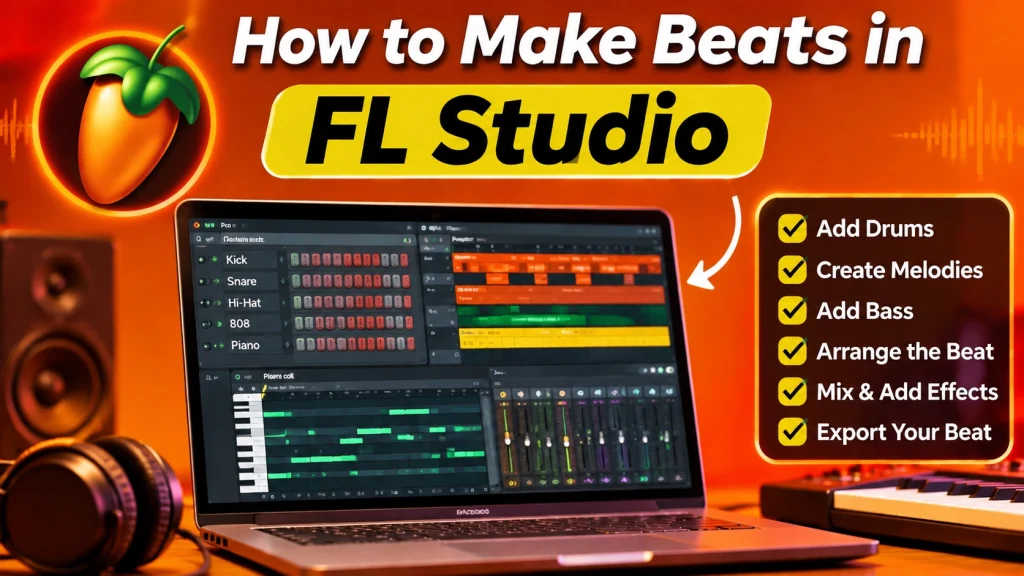
The Channel Rack is where you organize drum sounds and create rhythmic patterns. You can add different samples and arrange them using the step sequencer.
How to Create a Drum Pattern in FL Studio
Drums create the foundation of most beats. A good rhythm makes your music more enjoyable. FL Studio offers a step sequencer that helps you arrange different drum sounds without playing physical instruments.
Step 1: Choose Your Drum Sounds
Open the Browser and explore the available samples. Select these basic sounds:
- Kick drum for the main rhythm.
- Snare for strong beats.
- Hi-hats for rhythm and movement.
- Clap for additional impact.
Drag your selected sounds into the Channel Rack.
Step 2: Add a Kick Pattern
The kick drum provides the main low-frequency rhythm. Place kick samples on different steps to create your basic pattern.
Try different positions and listen to the results.
Step 3: Add Snare and Clap
The snare adds a strong rhythmic element. Place it in suitable positions to create a balanced groove.
You can also combine a clap with a snare for a fuller sound.
Step 4: Add Hi-Hats
Hi-hats add movement to your beat. Start with simple patterns and experiment with faster notes.
You can also change note velocity to make the rhythm sound more natural.
How to Create Melodies in FL Studio
A good melody gives your beat its identity. It can make a simple rhythm sound more interesting. FL Studio includes the Piano Roll, which allows you to create melodies and chords using your mouse.
Step 1: Select an Instrument
Choose an instrument from the Browser or Channel Rack. Beginners can start with a piano, synthesizer, or bass sound.
Step 2: Open the Piano Roll
Right-click the instrument channel and select Piano Roll. You will see a grid where you can place musical notes.
Step 3: Add Your Notes
Click the grid to add notes. Move them up or down to change their pitch.
Try creating a simple melody with a few notes. Listen carefully and adjust the arrangement.
Step 4: Create Chords
Chords combine multiple notes to produce a fuller sound. Experiment with different combinations until you find something that matches your beat.
How to Add Bass to Your Beat
Bass gives your music depth and energy. It works with the kick drum to create a powerful low-frequency sound. FL Studio allows you to use bass instruments and samples to build different musical styles.
Choose a Suitable Bass Sound
You can explore different bass sounds, including:
- 808 bass.
- Sub bass.
- Synth bass.
- Electric bass.
- Deep electronic bass.
Match the Bass With Your Kick
Make sure your bass pattern works well with the kick drum. Avoid placing too many low-frequency sounds together.
Listen carefully and adjust the volume to create a balanced result.
How to Arrange Your Beat in FL Studio
After creating drums, melodies, and bass, arrange them into a complete instrumental. FL Studio provides the Playlist for organizing different patterns and audio clips.
Create Different Song Sections
A simple beat arrangement can include:
- Introduction: Start with a melody or soft sound.
- Main Section: Bring in drums and bass.
- Break: Remove some instruments.
- Main Drop: Bring back the full beat.
- Outro: End the instrumental smoothly.
Organize Your Patterns
Place different patterns on separate Playlist tracks. This makes editing easier and keeps your project organized.
You can duplicate patterns and adjust their positions to create longer arrangements.
How to Mix Your Beat and Add Effects
Mixing helps different sounds work together. It improves balance and makes your instrumental clearer. FL Studio includes built-in effects that help you adjust instruments and improve sound quality.
Important Effects for Beat Making
Try these common effects:
- Equalizer: Controls different sound frequencies.
- Reverb: Adds space to instruments.
- Delay: Creates repeated sounds.
- Compression: Controls audio dynamics.
- Distortion: Adds stronger sound textures.
- Limiter: Helps control audio peaks.
Balance Your Sound Levels
Open the Mixer and assign your instruments to separate channels.
Adjust the volume of each sound. Make sure the kick, snare, melody, and bass remain clear.
Avoid adding too many effects. Simple mixing often produces better results for beginners.
How to Export Your Beat
Once your instrumental sounds good, export it as an audio file. FL Studio provides different export formats for sharing and saving music.
Follow These Simple Steps
- Open the File menu.
- Select Export.
- Choose WAV or MP3.
- Select your preferred file location.
- Adjust the export settings.
- Start the rendering process.
- Wait for the export to finish.
WAV is useful for high-quality audio. MP3 works well when you need a smaller file for sharing.
Best Tips to Improve Your Beat Making Skills
Good music production requires practice and creativity. FL Studio gives you many tools to experiment with different sounds and rhythms.
Follow these tips to improve your skills:
- Practice making short beats every day.
- Explore different drum samples.
- Learn basic music theory.
- Experiment with different BPM settings.
- Listen to professional instrumentals.
- Keep your projects organized.
- Save your work regularly.
- Try different mixing techniques.
Do not worry if your first beat sounds simple. Every producer improves through regular practice.
Frequently Asked Questions
Can Beginners Make Beats in FL Studio?
Yes. Beginners can create beats using drum samples, the Channel Rack, and Piano Roll. Start with simple patterns and learn one tool at a time.
Do I Need a MIDI Keyboard?
No. You can create melodies using your mouse and the Piano Roll. A MIDI keyboard is optional.
Can I Make Hip-Hop Beats?
Yes. You can use drum samples, bass sounds, melodies, and effects to produce hip-hop instrumentals.
Is FL Studio Free?
Image-Line offers a free trial. However, you need a paid license to reopen saved project files.
What Is the Best BPM for Trap Beats?
Trap beats commonly use tempos around 130–160 BPM. Some producers also work at half-time tempos to create different rhythms.
Can I Sell Beats Created in FL Studio?
Yes. You can sell your original beats, but make sure you have the necessary rights to any samples, loops, and third-party sounds you use.
Final Words
Making beats is an exciting way to explore your creativity. FL Studio provides useful tools for creating drum patterns, melodies, bass lines, and complete instrumentals. Beginners can learn its basic features without expensive recording equipment.
Start with simple rhythms and gradually experiment with different sounds. Practice regularly and develop your own production style. With patience and creativity, you can turn your musical ideas into amazing beats.
1 thought on “How to Make Beats in FL Studio”